AI Glasses | Buying comparison
Even G2 vs Ray-Ban Meta Gen 2: which should you buy?
Ray-Ban brings music, spoken AI and classic styling. Even offers a display without a camera. We explain why our preference may differ from yours.
By AIWearHQ Editorial Team · Published 13 September 2026
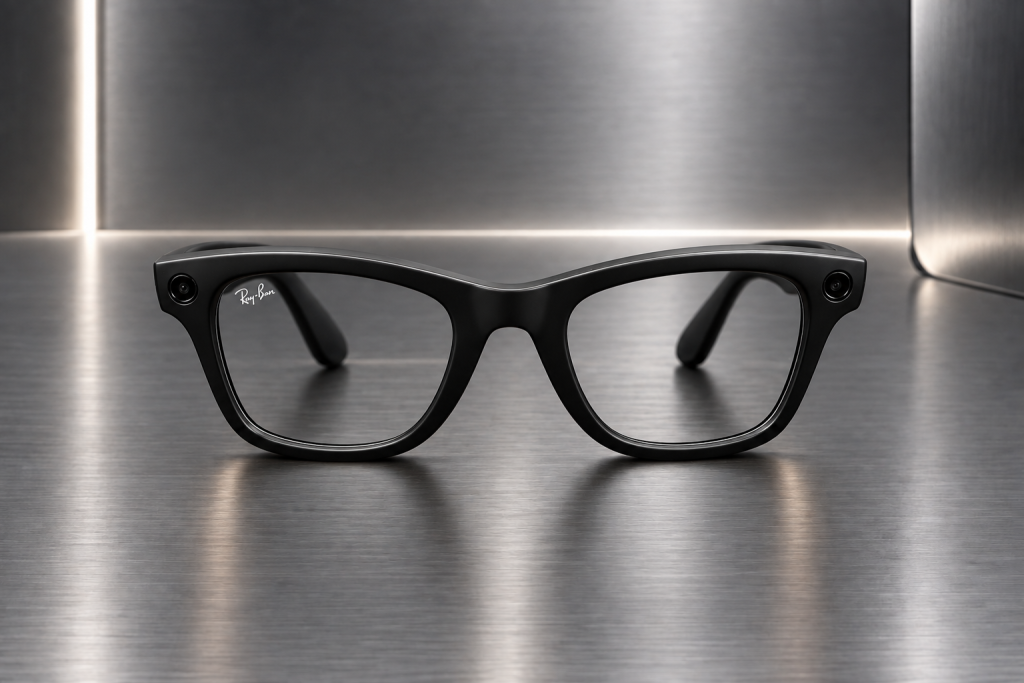
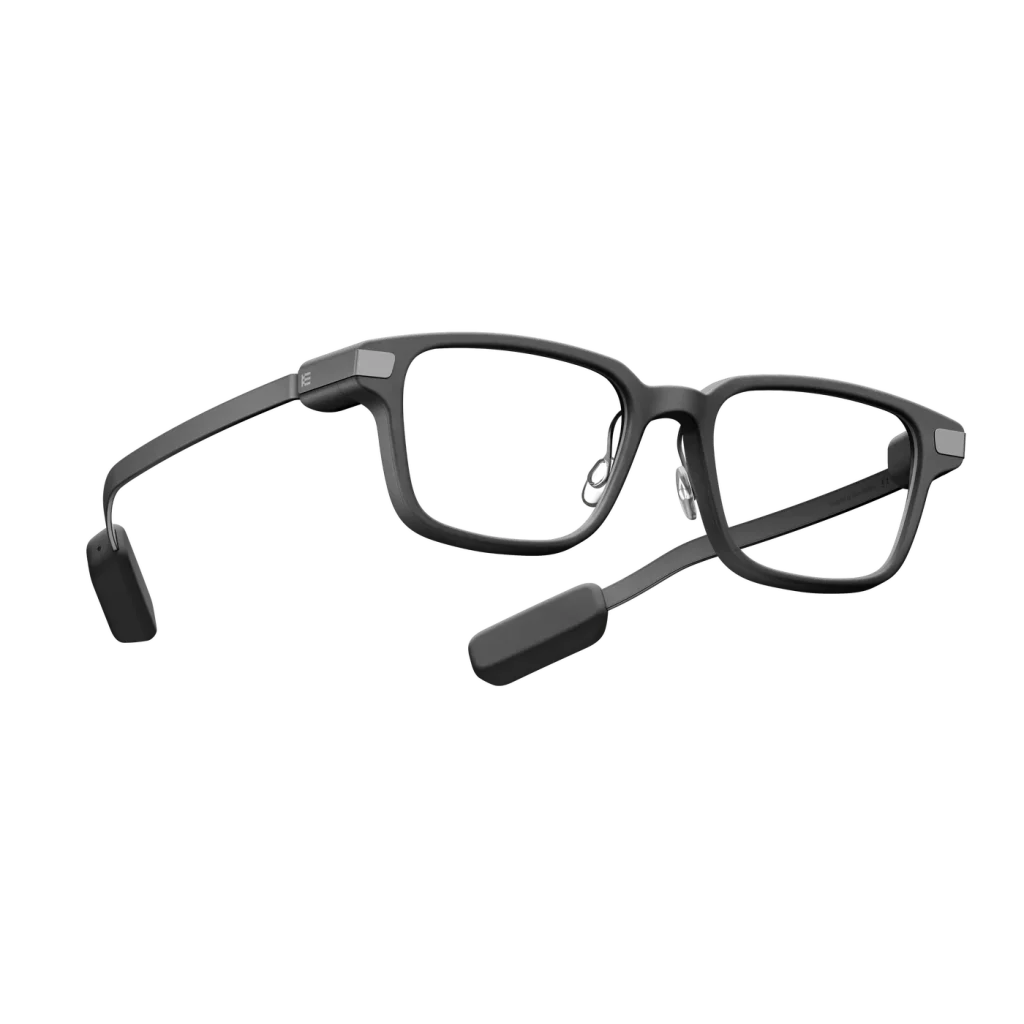
We’d choose Ray-Ban Meta Gen 2 for the way we use smart glasses: music on a walk, a quick photograph, a spoken question and a familiar pair of frames we’d want to wear anyway. Even G2 makes a compelling case for someone whose day revolves around presentations, reading information discreetly and keeping a camera out of the room.
Both are premium products, but their strengths point towards different buyers. Ray-Ban combines a camera and open-ear speakers with Meta AI. Even puts a small display in front of your eyes and leaves out both the camera and speakers. That decision changes almost everything about how you use them.
Our comparison combines AIWearHQ’s own experience with Ray-Ban Meta Gen 2 and research into Even G2. We haven’t tested the two side by side. Our preference reflects our routine, rather than a claim that Ray-Ban wins every category.
Even G2 vs Ray-Ban Meta Gen 2 at a glance
| What you want | Ray-Ban Meta Gen 2 | Even G2 |
|---|---|---|
| Photos and video | Built-in camera, including up to 3K video | No camera |
| Music and spoken replies | Open-ear speakers | No speakers |
| Information in your view | No lens display | Green text and simple graphics |
| Presentations and conversation support | Spoken AI; no visual script | Teleprompt and Conversate |
| Our strongest reason to buy | Enjoyable everyday audio and camera use | Quiet visual assistance without a camera |
| Main compromise | Camera sensitivity; spoken interaction isn’t always suitable | No music or photography; specialist features need to earn their place |
This comparison covers ordinary Ray-Ban Meta Gen 2, not the separate Meta Ray-Ban Display product. Hardware and feature references: Meta’s Gen 2 overview and Even’s G2 specifications.
Why we’d pick the Ray-Bans for everyday life
There are plenty of clever things AI glasses can do. The more revealing question is which ones you’ll still use after the first fortnight.
In our month with Ray-Ban Meta Gen 2, Spotify became one of the biggest attractions. Starting music, skipping a track and adjusting the volume from the arm of the glasses was simple enough to become a habit. The open-ear sound also let us hear what was happening around us, which suited our normal listening better than we expected.
That doesn’t make them a replacement for every pair of headphones. If you want to shut out a noisy train or listen privately in a quiet room, open speakers introduce compromises. Nearby people may hear audio depending on the volume and surroundings. But for a walk or some time outside, having music available in glasses you’re already wearing is a substantial part of their appeal.
Spoken AI adds another reason to leave your phone in your pocket. During our own use, asking about the washer-fluid inlet under a car bonnet and translating a restaurant menu were useful examples of camera-assisted help. Follow-up conversation felt more natural than repeatedly issuing isolated commands.
We were less impressed by live spoken translation in that same period: it sometimes lagged or missed parts of a conversation. That’s a useful reminder to judge the glasses on the features that work for you today. UK availability can vary by language, software and account, so check a specific AI function before buying. Ray-Ban’s UK FAQ also explains Spotify setup and account limitations.
Even G2 can’t provide this listening experience because there are no speakers. If Spotify, podcasts and hearing an assistant answer back are central to your wish list, that alone may settle the comparison.
Where Even G2 could be the better working companion
Now imagine a different day: presenting to a room, checking a short prompt and following information without looking down at a phone. Here, Even’s display starts to look more valuable than Ray-Ban’s camera.
Teleprompt puts prepared text into your view. Conversate offers support around a conversation, including transcription and AI-generated summaries. Navigation and translation are further uses for a small display. These are practical reasons to consider G2 if reading a few words at the right moment would help more than hearing a reply.
The attraction is particularly clear for presentations. You may prefer having your next point available near your line of sight to repeatedly checking a phone or printed notes. We’d want to try the display with a real script before committing, though: comfort, legibility and how naturally you can follow the text matter more than a polished demonstration.
The optional R1 ring gives you another way to control G2 without reaching up to the frame. It may be worthwhile for someone who presents regularly, but the glasses can be used without it. Start with the task you need to solve rather than assuming the accessory is essential.
Even’s current feature overview sets out those tools. We haven’t independently measured their transcription accuracy or presentation performance, so we’d treat a demonstration using your own voice and material as part of the buying decision.
Camera-free is an advantage, but sensitive workplaces need more than that
Even G2 removes a straightforward objection: there isn’t a camera pointed at the people, screens or documents in front of you. In a workplace where photography is restricted, that could make them easier to consider than Ray-Ban Meta.
It doesn’t automatically make them suitable for a confidential meeting, a clinical setting or a secure facility. G2 still has microphones, and features that transcribe or analyse a conversation raise their own questions about what is captured and where it’s processed. An employer may restrict those functions or smart glasses altogether.
Even deserves credit for explaining some of those boundaries. It says documents uploaded as Context and audio transcribed through Conversate are excluded from training its foundational models. Its privacy explanation also describes cloud processing and permissions for third-party apps. That is a useful commitment, although excluding training isn’t the same as keeping every interaction on the glasses.
Before using either pair with sensitive information, establish whether the device and the particular feature are allowed, and make sure the people involved understand any recording or transcription. A pair that looks unobtrusive can still be doing something the room needs to know about.
We’d therefore describe Even as the more promising option for camera-sensitive work, subject to the organisation’s rules. We’d avoid calling either product universally workplace-safe.
The “spy glasses” perception is part of the buying decision
Calling every camera-equipped pair “spy glasses” is unfair to people who simply want photographs, music and hands-free help. It does, however, describe a concern a wearer may have to address: other people can’t always tell what the glasses are doing.
A phone being raised for a photograph is a familiar signal. Glasses can remain on your face throughout a conversation, leaving someone wondering whether they’re being recorded. Even if you only have a playlist running, the camera may still become the subject of discussion.
Meta has taken steps to address misuse, including protections against covered capture lights and responses to tampering. Its published explanation of those safeguards deserves to be part of a fair assessment. The light shouldn’t be treated as a universal indication of every camera-related AI activity, however; Ray-Ban distinguishes gallery capture from camera use for AI.
Even has a simpler answer to the photography question: G2 has no camera. That may put some people at ease, although it doesn’t remove the need to be open about transcription. Neither design can substitute for considerate behaviour, and occasionally taking the glasses off will be the easiest way to make everyone comfortable.
We’ve explored the wider recording debate in our coverage of Hamburg’s Ray-Ban Meta privacy report. For a buyer, the immediate question is whether a camera will be welcome in the places they expect to wear their glasses.
Ray-Ban has the fashion advantage for us
The Wayfarer gives Ray-Ban a head start. It’s a familiar, established design with an appeal that doesn’t depend on the technology inside it. We already liked wearing Ray-Bans before considering smart glasses, so the Gen 2 Wayfarer felt like a natural choice.
That is a preference, rather than a universal style verdict. Even’s restrained optical frames may look more at home with your usual wardrobe, especially if you wear clear prescription glasses throughout the working day. Their quieter appearance is part of the attraction.
Both deserve to be considered as eyewear before they’re judged as gadgets. Try the frame size, check the bridge fit and think about the lenses you’ll actually use. An attractive pair that presses on your nose or feels wrong on your face won’t become a daily companion, however impressive the feature list.
UK cost and battery life: compare the pair you’ll actually order
Even’s UK G2 B page lists £599 before prescription lenses and optional accessories, with single-vision lenses from £149. That puts the glasses with entry-price single-vision lenses at £748 before extras. Those figures were checked on 13 September 2026 against the UK configurator; your own prescription and options determine the final quote.
For context, our earlier Ray-Ban comparison checked a £409 Gen 2 Wayfarer with polarised lenses on 9 September. That’s a dated configuration price, not a fresh quote or the price of every Gen 2. Our own Transitions pair cost £459 when purchased. Follow the Ray-Ban configuration through with the lenses you want before deciding how large the gap is.
On battery life, Even claims up to two days for G2; Meta quotes up to eight hours of typical use for Gen 2. These are manufacturer estimates for different products and usage patterns, not results from a shared test. Even’s longer stated endurance is attractive for regular eyewear, but don’t read it as a promise of two continuous days of transcription. Frequent recording or audio use can also change the Ray-Ban charging routine.
For either pair, a premium price only makes sense if the features become useful habits. Even’s display can justify paying more when it solves a recurring problem. If you mainly want music and occasional photos, paying for a display while giving those functions up would be harder to explain.
Our verdict: Ray-Ban for us, Even for a different kind of day
Ray-Ban Meta Gen 2 would be our choice. The classic styling, convenient music controls, spoken AI and quick photographs fit how we spend our time. They’re enjoyable to wear, and the audio in particular gives us a reason to keep using them after the novelty of the camera has worn off.
We can also see a strong case for choosing Even G2. If you want presentation prompts, short pieces of information in your view and a frame without a camera, G2 offers things ordinary Ray-Ban Meta Gen 2 simply can’t. With an appropriate workplace setup, those may be worth far more to you than a playlist or a photograph.
There’s room for both approaches at the premium end of smart glasses. Choose Ray-Ban if you’d regularly use the speakers and camera. Choose Even if you’ve identified a real use for the display and would prefer to leave the camera out.