Hands-on review
Ray-Ban Meta Gen 2 review: the premium brand setting the bar for AI glasses
After a month with the Wayfarer version, I’m still wearing them every day. The camera, audio and visual AI are genuinely useful, although the price, privacy questions and lens choice need thinking through.
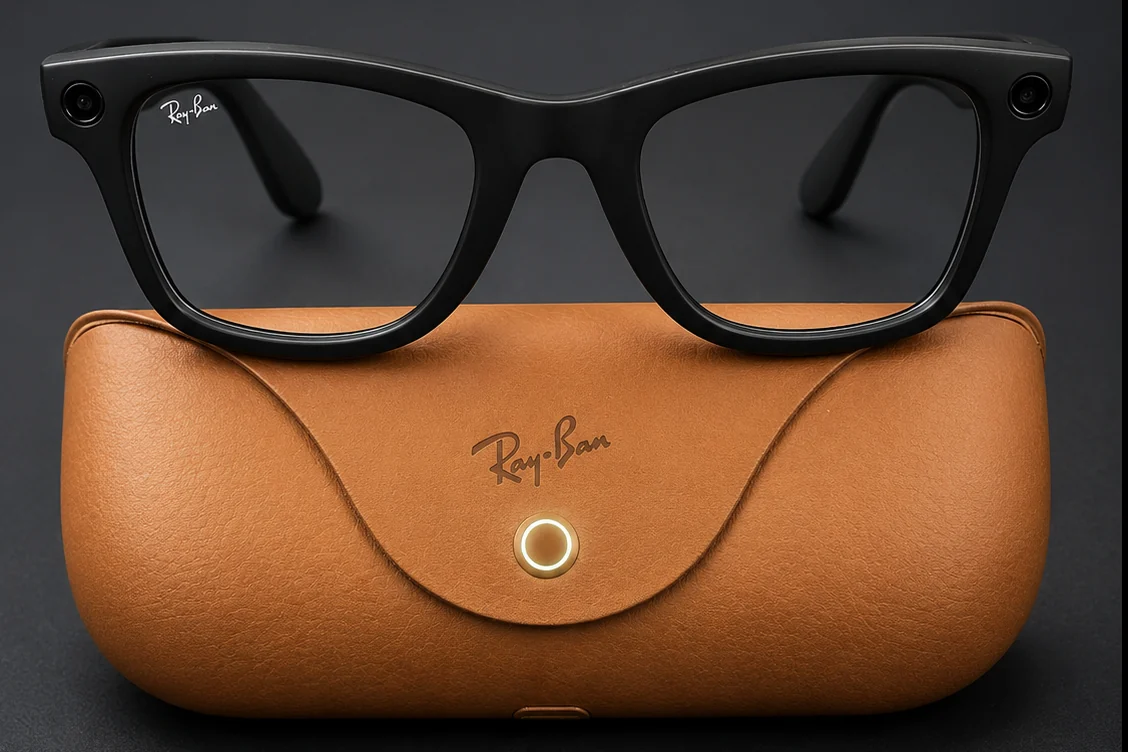
How we reviewed them: this is a genuine hands-on review based on approximately four weeks with a personally purchased pair of Ray-Ban Meta Wayfarer Gen 2 glasses. They were used for photographs, video, music, visual AI, reminders and translation in ordinary UK use and during travel. Meta, Ray-Ban and Argos had no input into the review.
Buying now? Ray-Ban Meta Gen 3 is the newer camera model, with a claimed nine-hour battery, six microphones, an action button and new frame choices. Ray-Ban Meta Audio is the camera-free alternative, while Display adds a screen and now has official UK sales. We haven’t tested those models yet. The experience and verdict below remain our Gen 2 review; compare current prices before choosing an older pair.
At a glance
AIWearHQ verdict: Excellent
Excellent AI glasses that fit into everyday life
Ray-Ban Meta Gen 2 gets the important things right. They look like glasses people already want to wear, the controls are simple and several features become useful surprisingly quickly. They won’t replace a phone, a serious camera or good earbuds. They can leave all three in your pocket or bag more often than expected.
Good
- Looks and feels close to ordinary Ray-Bans
- Useful hands-free camera and visual AI
- Simple, responsive audio controls
- Much more practical battery life
- Responsive touch-arm sensor is a fantastic way to control apps
Worth knowing
- Transitions and prescription options raise the price
- Framing photos the way you want them is a learned skill
- Expect questions over privacy until smart glasses become more mainstream
I didn’t have one dramatic moment when Ray-Ban Meta Gen 2 suddenly made sense. I just kept using them.
Taking a photograph, starting Spotify, setting a reminder or asking about something in front of me was quicker than reaching for my phone. After a month, that convenience was the point.
The AI can still be clunky, but I never felt as though I was beta-testing the hardware.
What are Ray-Ban Meta Gen 2?
These are Ray-Ban frames with a 12MP ultra-wide camera, two open-ear speakers, five microphones, touch controls and Meta AI built into the experience. They can take photographs and video, play music and podcasts, handle calls and messages, translate supported languages and answer questions about what you’re looking at.
There’s no display in the lenses. You hear answers through the speakers rather than seeing text or graphics in front of your eyes.
That sounds like a missing feature, and for some buyers it will be. It’s also part of why these work as ordinary eyewear. There’s less hardware on the frame, nothing competing for your attention in the lens and no new screen to stare at. Meta has concentrated on jobs that make sense through a camera, microphones and audio.
The range currently includes Wayfarer, Skyler and Headliner styles, with clear, tinted, polarised, Transitions and prescription options depending on the frame. Prices start at £379 in the UK. The Shiny Black Wayfarer with Clear/Graphite Green Transitions lenses reviewed here cost £459.
Design and comfort
I chose the Wayfarer because I already knew the shape and didn’t want my first pair of AI glasses to look experimental. From a normal distance, they look remarkably close to ordinary Ray-Bans. The camera and capture light add some width at the front, but most people notice the familiar frame before they notice the technology.
My pair weighs just over 51g according to the current Argos specification. That’s heavier than plain sunglasses, but the difference was smaller on my face than I expected. I didn’t feel as though I was balancing a gadget on my nose, and they were comfortable from the start.
Fit is still personal. Wayfarer Gen 2 is available in different sizes, and the extra hardware can make a poor fit more irritating than it would be with lighter frames. Try them on if you can, particularly if glasses tend to slip down your nose or press behind your ears.
The build feels properly Ray-Ban rather than like electronics wearing a Ray-Ban badge. The capture button sits on top of the right arm, a touch-sensitive panel runs along its side and the power switch is tucked inside the left arm. Once set up, you rarely need to think about any of them.
One limitation is the IPX4 rating. Light rain and splashes should be fine, but these aren’t swimming glasses and shouldn’t be treated as waterproof. At this price, stronger protection would be welcome.
The camera is useful because it’s already there
On paper, a 12MP camera sounds modest beside a modern phone. In practice, it captures a different kind of photograph. You press the button or say “Hey Meta, take a photo” and get the scene from roughly your own point of view, with no phone held between you and whatever is happening.
That makes it very good for spontaneous moments, walking, travel and any situation where your hands are occupied. It isn’t the camera I’d choose for a carefully composed portrait or an important night-time shot. I use it when something is already happening and I want a quick photograph without interrupting it.
Gen 2 records video at up to 3K, and that’s one of the main hardware improvements over the previous version. Footage is detailed enough for social sharing and surprisingly steady for a camera attached to a moving head. Photos are strongest in good daylight. Low light, fixed focus and the lack of a viewfinder still place clear limits on what the camera can do.
Framing takes practice. The camera doesn’t see exactly what your eyes see, and there’s no preview in the lens, so early photographs can be too high, too low or slightly off to one side. You learn to compensate, but you never get the certainty of composing on a phone screen.
It can’t match a good phone camera, but it makes it much easier to catch moments that would otherwise pass.
The white capture LED signals when photographs or videos are being saved to the gallery, and the camera is disabled if the glasses detect that the LED has been covered. I’m glad it’s there. People around you deserve a visible indication when recording is taking place.
It’s worth understanding that the LED is a recording indicator rather than a general “camera active” light. Visual AI requests can use the camera without saving a gallery photograph, so the light doesn’t behave in exactly the same way for every camera-assisted feature. Wearing these responsibly still depends on the person behind them.
The camera gives Meta AI a reason to be on your face
General questions work much as they do with other voice assistants. The more interesting part is being able to ask about what’s in front of you.
When I was trying to find the washer-fluid inlet beneath the bonnet of my partner’s car, I asked the glasses while looking at the engine bay. They identified it within seconds. On another occasion in Barcelona, they read and translated a menu well enough to help me choose a dish.
These are small jobs, but they suit the product. The glasses already have your point of view, so you don’t need to explain the scene, take a phone photograph and send it to an assistant. You simply ask.
Follow-up conversation also feels more natural than I expected. With the relevant setting enabled, Meta AI can remain available briefly after replying, allowing another question without repeating the wake phrase. It isn’t flawless and can still misunderstand context or give a thinner answer than ChatGPT or Claude. The difference is that it’s available while your hands and eyes are elsewhere.
Features vary by country, language, account and software version. The UK has often received Meta AI updates later than the US and Canada, so buy the glasses for what they can do on your account today rather than for an announced feature that may arrive later.
Translation has improved since launch
Translation was one of the weaker features during my first month with the glasses. Reading visible text worked fairly well, but live Spanish-to-English translation could lag behind, miss parts of a sentence or catch up in a way that was difficult to follow.
My glasses are now running Muse Spark 1.1, and the difference is noticeable. In recent use, Spanish has been converted into English in my ear much more quickly, and the whole exchange feels slicker and more responsive.
I still wouldn’t rely on it for an important or very fast conversation. Language, pace and background noise can all affect the result. But it’s moved from a feature I rarely trusted to one I’m far more likely to use.
Audio may be the feature you use most
I didn’t buy these primarily as headphones, yet Spotify became one of the most dependable reasons to put them on.
A tap on the right arm starts or pauses playback, two taps skip forward, three go back and a swipe changes the volume. The controls respond quickly and were easy to remember. After a few days, they stopped feeling like controls at all.
The open-ear speakers sound much better than their size suggests. Music, podcasts and spoken answers are clear, while your ears remain uncovered. That’s useful on a walk or around the house, where hearing what’s happening nearby matters.
Good earbuds still win in several settings. Bass is lighter, a noisy train can overpower the glasses and high volume creates more sound leakage. For ordinary listening and phone calls, though, they’re good enough that I often leave my earbuds behind.
That’s a good example of how Ray-Ban Meta glasses earn their place. The audio isn’t the best available, but it’s already on your face.
Battery life and the charging case
Battery life was one of the reasons I didn’t buy the previous generation. Gen 2 is much easier to live with.
Ray-Ban states up to eight hours with moderate use and up to five hours with continuous audio streaming and voice assistance. That difference in Ray-Ban’s own figures is the important part: recording 3K video, using visual AI frequently or playing music for long periods will reduce the headline runtime.
My own pattern was around three hours of mixed wear per day, using music, Meta AI, photographs and reminders. When I took the glasses off, they usually sat on my desk rather than going back into the case. I charged them at most once a day and, over the month, never managed to run the battery below 20%.
That isn’t a controlled battery test, but it’s a useful real-world result. I didn’t need case top-ups between ordinary periods of use or have to plan my day around the remaining charge.
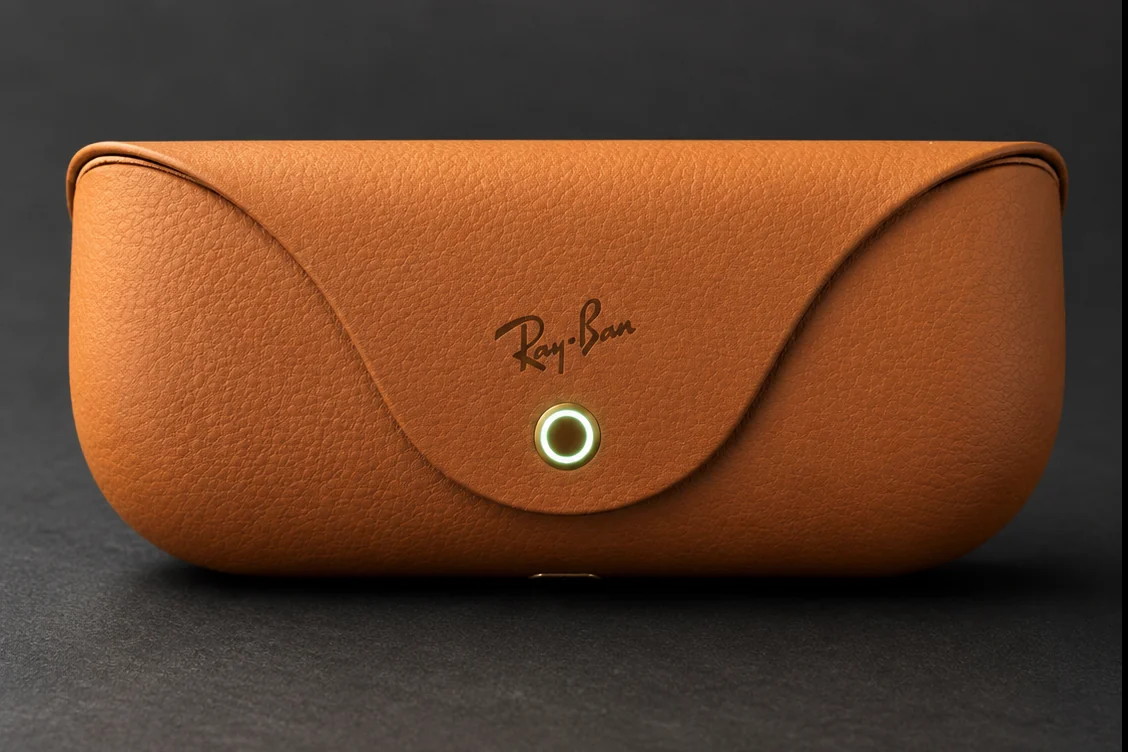
The case is one of the better parts of the design. It looks like a normal Ray-Ban case, protects the glasses and starts charging as soon as they’re put away. Ray-Ban says the glasses reach about 50% in roughly 20 minutes, so even a short break can add useful time.
Current UK information isn’t completely consistent about the case capacity: Ray-Ban’s FAQ and the exact Argos listing quote up to 48 additional hours, while a Ray-Ban product-page footnote says 40. The practical point is clearer than the numbers. The case provides several top-ups and makes the glasses much less fussy than the single-charge figure suggests.
For my routine, battery life hasn’t been something I’ve needed to manage. Constant music, calls, AI use and recording will drain them faster, but the case has felt like a convenient charger rather than something the glasses need throughout the day.
Transitions lenses make sense, with one catch
The Clear/Graphite Green Transitions lenses were the right choice for how I wanted to use the glasses. They clear indoors and darken outside, allowing the technology to remain useful when fixed sunglasses would have gone back in the case.
That versatility costs money. My configuration was £459 rather than the £379 starting price, and prescription options can go higher. Buyers who only want outdoor sunglasses may get better value from a fixed tint or polarised lens.
The other catch is driving. Photochromic lenses rely heavily on ultraviolet light, much of which is blocked by a car windscreen. Mine don’t become as dark in the car as dedicated polarised sunglasses, so I still change pairs on bright mornings.
Transitions were the best all-round option for how I used the glasses indoors and outside. They won’t suit every buyer, and the lens choice matters almost as much as the technology.
Privacy is part of owning them
Before buying, I worried that wearing a camera would make people uncomfortable. Friends joked that I’d look like I was secretly recording them. At the pub, that suspicion lasted about 30 seconds once they saw the glasses and the capture light.
Work colleagues asked more questions, particularly about how they’d know if the camera was recording. Demonstrating the light helped. It didn’t remove the responsibility to be clear about what I was doing.
The design is discreet enough that many people won’t notice the camera at all. That’s good for wearability and awkward for trust. A responsible owner shouldn’t treat the capture light as permission to record anywhere or assume everybody is comfortable simply because the indicator exists. We look at both sides more closely in our feature on the recording-light debate.
Visual AI also involves sending information from the camera and microphones to Meta’s systems for processing. Read the current privacy controls, decide which optional features you’re comfortable enabling and review them after software updates. If using a Meta account or wearing a face-mounted camera already feels unacceptable, the rest of the product won’t change that.
What changed after the novelty wore off?
The first week involved predictable amounts of unnecessary photography and showing the glasses to anybody willing to try them. The useful test was what remained once that phase passed.
After four weeks, I still used them every day in some form. Music became automatic when walking. Reminders were handy when I didn’t want to lose track of something. Visual AI came out when something in front of me needed explaining. The camera was used less indiscriminately, but more naturally.
Meta AI didn’t become the main reason I wore them. The combination did. A camera, audio player, call headset and assistant are more convincing together than any one of them would be alone.
For the full diary-style account, including more detail on other people’s reactions and my first month of use, read what happened when I wore Ray-Ban Meta Gen 2 for a month.
Should Gen 1 owners upgrade?
Gen 2 is a meaningful improvement, but not a completely different product. The main hardware gains are longer battery life and higher-resolution video. The overall design, 12MP still camera, audio approach and Meta AI experience remain familiar.
If your Gen 1 glasses still last comfortably through your routine and you rarely record video, upgrading is difficult to justify at full price. Many software features are shared across generations.
If battery anxiety stops you wearing Gen 1, or you care about 3K video, Gen 2 addresses the two clearest complaints. For a first-time buyer, the extra battery makes the newer model the easier recommendation unless the older version is heavily discounted.
Who should buy Ray-Ban Meta Gen 2?
They suit you if…
- You already like wearing Ray-Ban frames
- You want a hands-free camera for everyday moments
- You listen to music, podcasts or calls while walking
- You can see yourself using quick visual AI questions
- You’re comfortable managing privacy openly
Think twice if…
- You need a display, navigation prompts or visual notifications
- You want phone-camera quality and precise framing
- You dislike Meta’s account and data requirements
- You need waterproof eyewear for sport or heavy rain
- You need guaranteed all-day battery under constant recording or audio use
AIWearHQ verdict
Ray-Ban Meta Gen 2 is an excellent product and a strong choice for first-time buyers who want a camera and open-ear audio rather than a display.
If you want a sports-focused alternative, our Oakley Meta Vanguard review looks at the more secure fit and training integrations. If you would rather have a discreet display and no camera, see our Even Realities G2 review.
That verdict isn’t based on them doing everything brilliantly. Live translation can struggle, Meta AI isn’t the best assistant in every conversation, the camera needs practice and Transitions lenses push the price into serious territory.
They succeed because the useful parts fit into ordinary life. They look like proper glasses, the controls don’t demand attention and the combination of camera, audio and visual AI gives you several reasons to keep wearing them after the novelty has gone.
I’d buy them again. They haven’t replaced my phone. They’ve stopped me reaching for it quite so often.
AIWearHQ Recommended Retailers
Choose the frame size and lens type before ordering. The three routes below were checked for UK buyers on 26 July 2026; prices, colours and local stock can change.
Meta Store
Browse the current Ray-Ban Meta range and compare available styles through Meta’s official UK store.
Shop at MetaArgos
View the regular-size Shiny Black Wayfarer with Clear/Graphite Green Transitions lenses reviewed here.
Check at ArgosRay-Ban Direct
Buy the same 50-22 Shiny Black and Clear/Graphite Green Transitions configuration directly from Ray-Ban.
Shop at Ray-BanRetailer availability and prices can change. Confirm that the listing says Gen 2 and check the frame size, lens type and prescription requirements before ordering.
Ray-Ban Meta Gen 2 questions
Are Ray-Ban Meta Gen 2 worth buying?
Yes, for buyers who will use the camera, open-ear audio or visual AI regularly. They’re less compelling if you only want ordinary sunglasses or expect a display in the lens.
Do Ray-Ban Meta Gen 2 have a display?
No. Answers, calls, music and translations are heard through the open-ear speakers. The lenses don’t show notifications, directions or camera framing.
How long does the battery last?
Ray-Ban states up to eight hours with moderate use and up to five hours with continuous audio streaming and voice assistance. Recording and frequent AI use reduce battery life. The charging case provides several additional top-ups.
Can other people tell when the glasses are recording?
A white capture LED signals when photographs or videos are being saved to the gallery. Covering the LED disables gallery capture. Visual AI camera use is handled differently, so owners still need to explain and use the glasses responsibly.
Can you use prescription lenses?
Yes. Ray-Ban offers prescription options, subject to the supported prescription range and chosen frame. Using an approved optical provider helps protect the manufacturer warranty.
Are they waterproof?
No. The IPX4 rating covers light rain and splashes, not swimming, submersion or prolonged water exposure.